Most checklists end when someone presses submit. Plenty of real problems don't. A cracked bathroom mirror needs someone to order glass, someone to approve the cost and someone to confirm it was hung properly. A bad brake on a fleet truck needs more than that, and the order matters: nobody should drive it until it is fixed.
That "what happens after the answer" part is what a hand-off is for. A hand-off pauses a report and asks a specific Group to deal with the next part. When someone in that Group signs it off, the next one opens. Everyone can see where the report is, who has it and since when.
This walkthrough follows one realistic case from start to finish. The names are made up and the screenshots are from a demo workspace called Fleetco Transport, but the screens and the timeline are the real product.
The setup
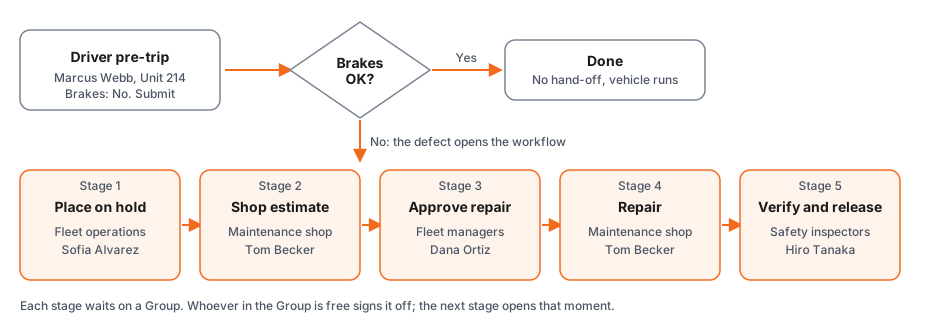
Fleetco's pre-trip inspection is an ordinary checklist with one addition. Below the driver's section sit five more sections, each handed to a Group, and each shown only when the brakes answer is No. When the brakes are fine, none of them appear and nothing changes for the driver.
| Stage | Handed to | What the person confirms |
|---|---|---|
| 1. Place on hold and dispatch to shop | Fleet operations | Vehicle tagged out and parked |
| 2. Shop estimate | Maintenance shop | Diagnosis and estimate |
| 3. Approve the repair | Fleet managers | Repair approved |
| 4. Repair | Maintenance shop | Repair completed |
| 5. Verify and release | Safety inspectors | Road test passed, vehicle released |
A stage is handed to a Group, not to one person, so the work doesn't stall because one person is out. Whoever in the Group is on shift picks it up.
Tuesday, October 20
6:48 AM, the report. Marcus Webb, the driver, is walking around Unit 214. The pedal is soft and there is a grinding noise from the front left. He answers No to "Brakes feel and sound normal", types what he noticed and submits. The report doesn't just land in an inbox. It opens stage 1 and waits on Fleet operations, and the people in that Group are told.
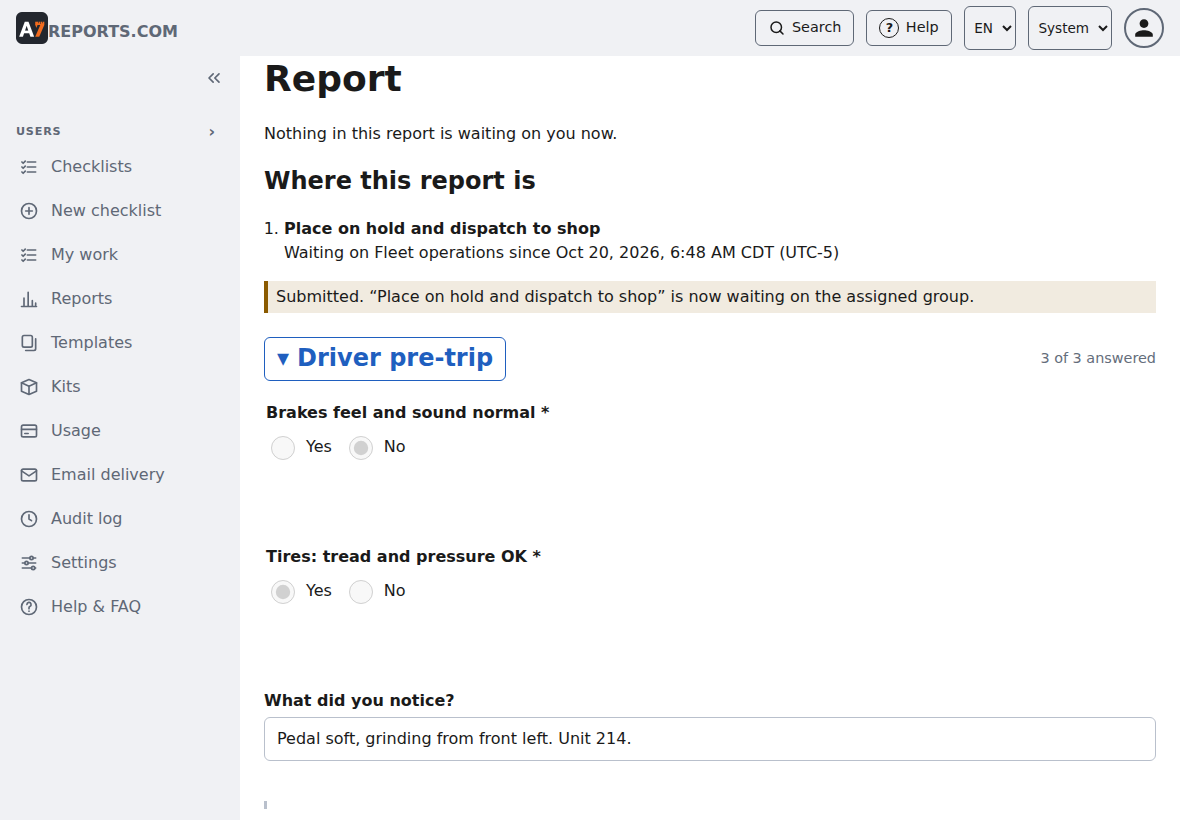
6:55 AM, on hold. Sofia Alvarez in Fleet operations has it in her My work list. She tags the truck out, parks it, confirms and signs off. It took seven minutes. Stage 2 opens immediately.
10:20 AM, the estimate. Tom Becker at the shop sees the report in My work, looks at the truck and writes the estimate into the stage: front-left caliper seized, pads at 2 mm, caliper, pads and rotor needed, $612.40, three hours of labor. He signs off.
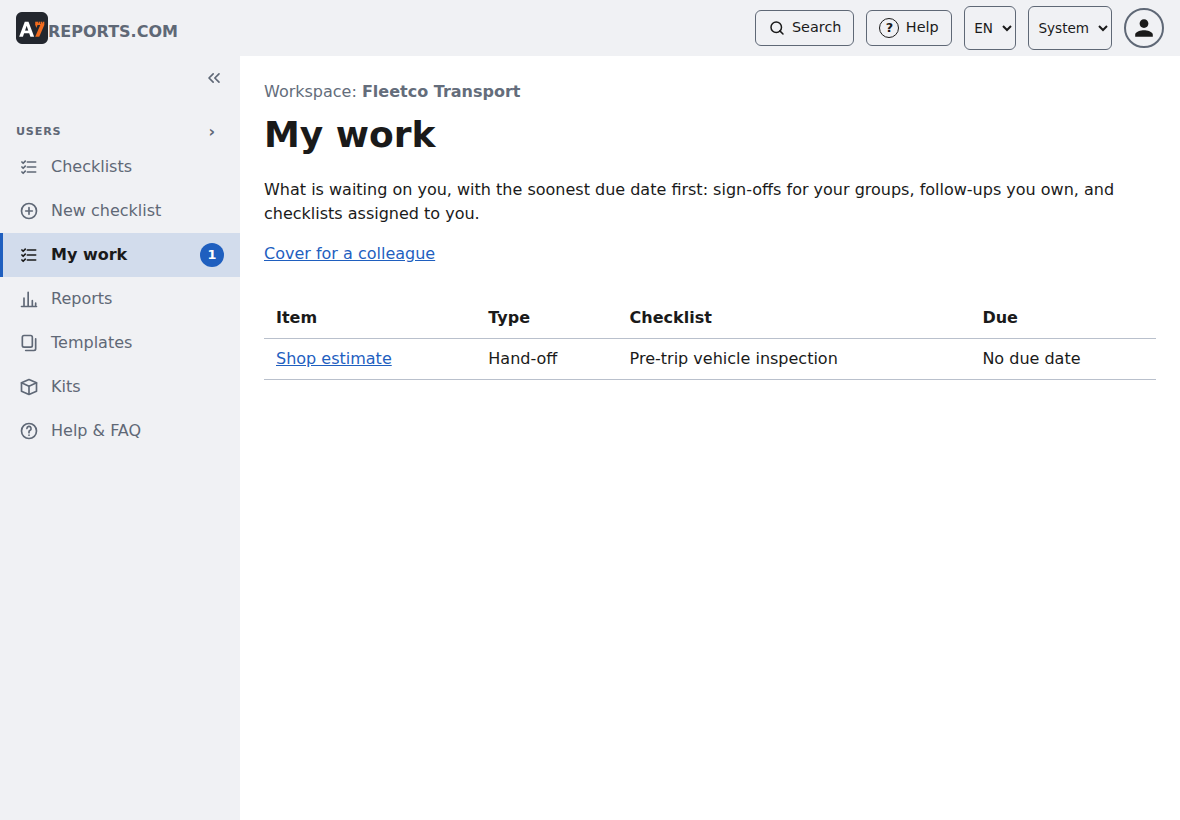
Now the report waits on Fleet managers. Anyone can see that without asking: the report page shows each stage, who signed it off and when, and what it is waiting on now.
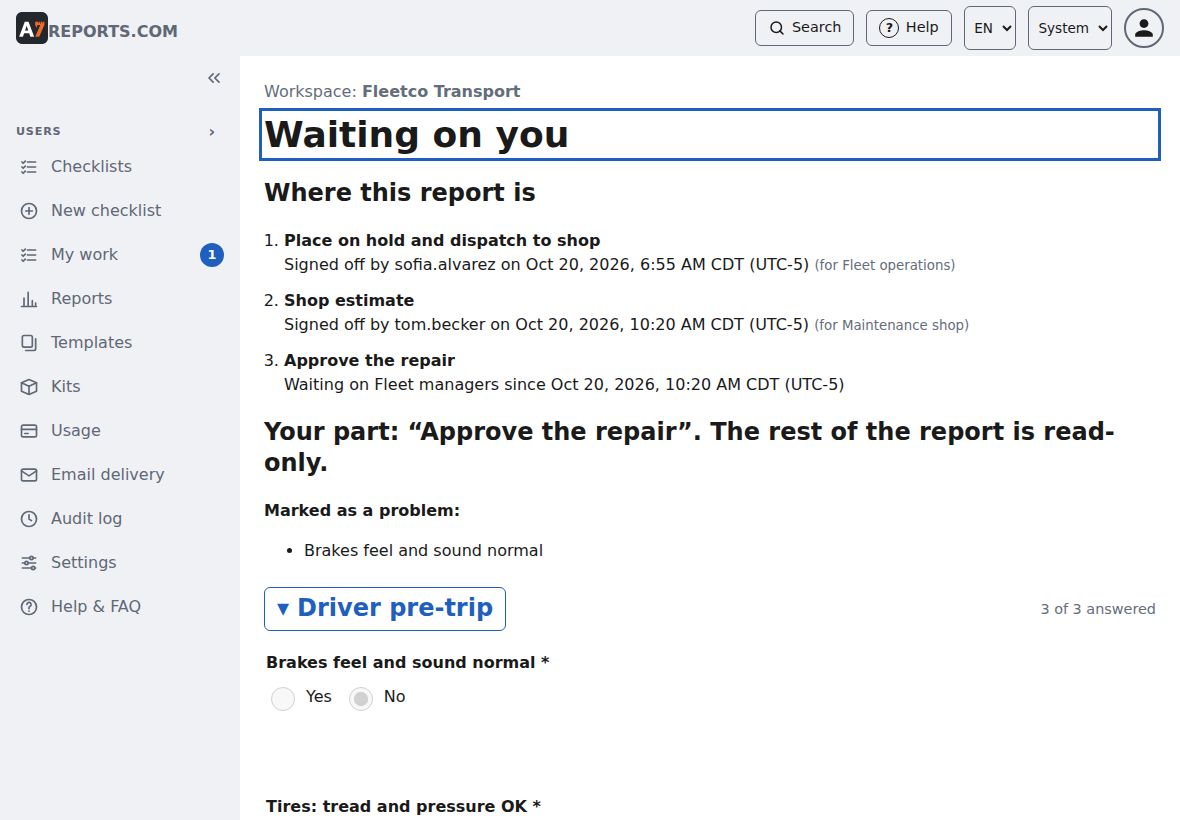
For a manager or dispatcher, the Hand-offs in flight page lists everything that is still open, longest waiting first. This is where you find the report that has been sitting somewhere for too long.
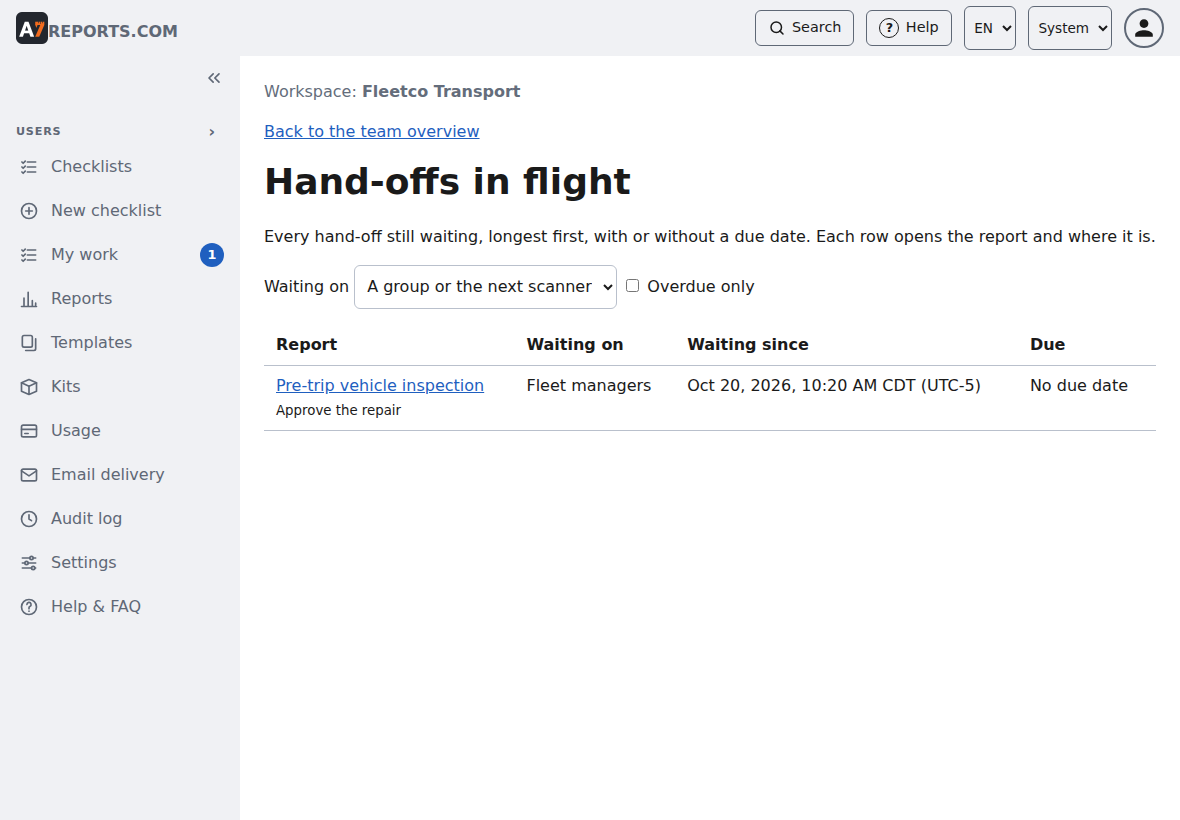
11:05 AM, approved. Dana Ortiz reads the estimate, decides $612 is fine and approves it. Forty-five minutes. The repair stage opens, back with the Maintenance shop.
3:40 PM, repaired. Tom finishes the work and signs off stage 4.
4:12 PM, released. Hiro Tanaka takes the truck on a road test, confirms the brakes and signs off the last stage. Unit 214 is released. Nothing is waiting any more, and the report leaves the in-flight list.
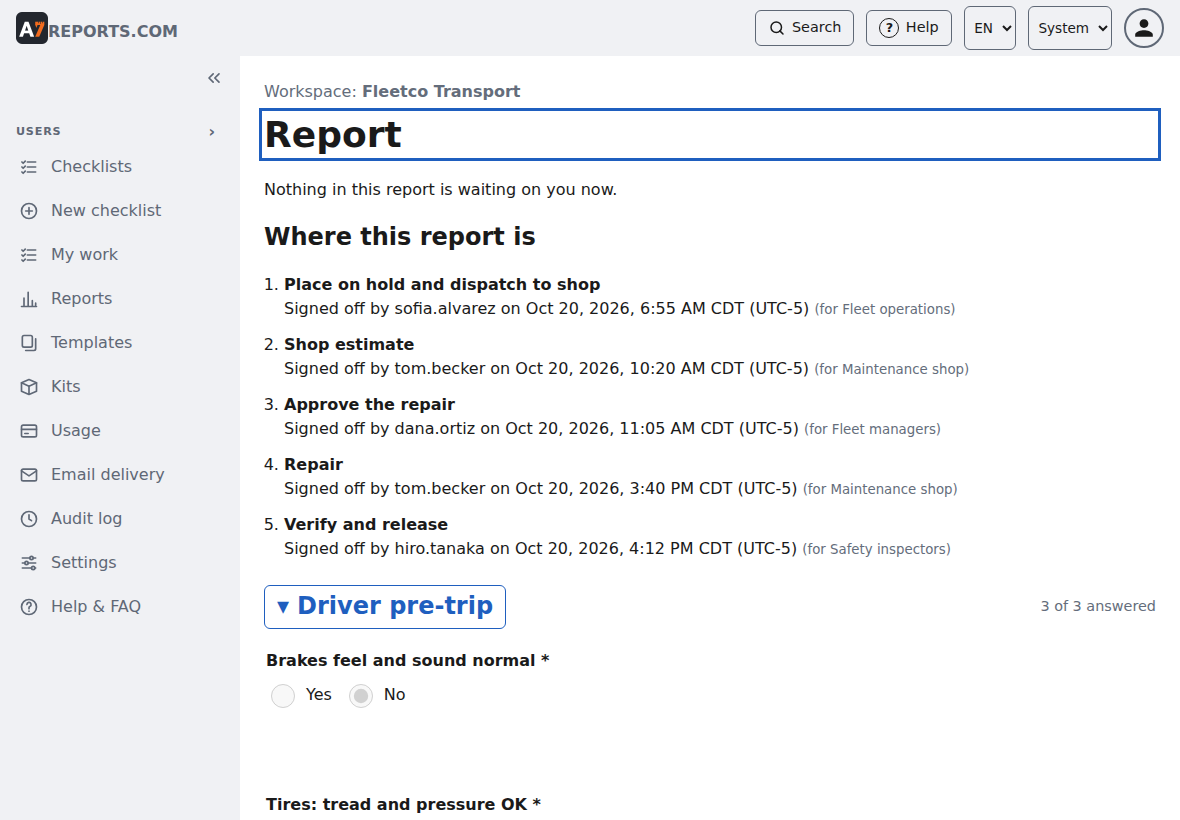
The whole day on one page
| When | Who | Stage | Waited |
|---|---|---|---|
| 6:48 AM | Marcus Webb (driver) | Report submitted | |
| 6:55 AM | Sofia Alvarez | 1. Place on hold | 7 min |
| 10:20 AM | Tom Becker | 2. Shop estimate | 3 h 25 min |
| 11:05 AM | Dana Ortiz | 3. Approve the repair | 45 min |
| 3:40 PM | Tom Becker | 4. Repair | 4 h 35 min |
| 4:12 PM | Hiro Tanaka | 5. Verify and release | 32 min |
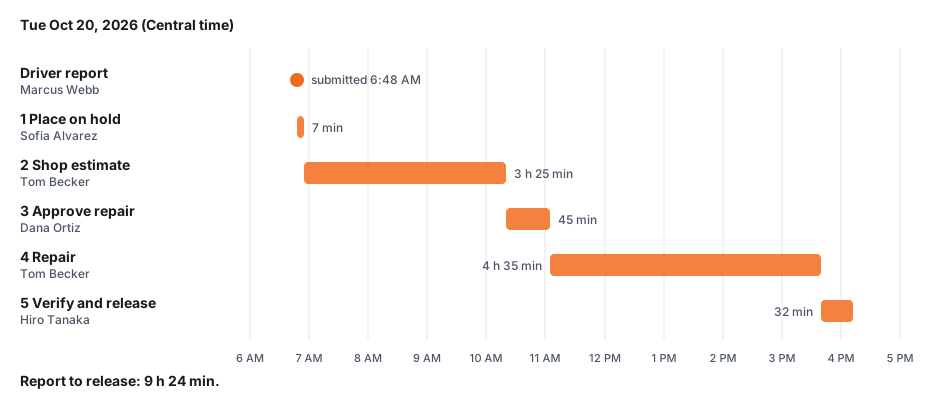
Report to release took 9 hours 24 minutes. The longest bars are the estimate and the repair, which is real work. The short ones are the places where a report waits on a decision, and those are the ones a team can shave down once they can see them.
What you get from it
- One record. The driver's answers, the estimate and the approval are in the same report instead of spread across texts, emails and a whiteboard.
- Named sign-offs. Each stage shows who closed it and when. If someone is out, a colleague can cover for them.
- Nothing falls through. A stage can have a due date. When it passes, the report is flagged overdue and can be escalated, and the in-flight page can filter to overdue only.
- Connected to your other systems. A hand-off opening or completing is an event that can go to a webhook, so your maintenance or fleet system can open a work order the moment stage 2 begins.
The same idea fits the cracked bathroom mirror, only smaller: the cleaner reports it, facilities orders the glass, the property manager approves the cost, and the cleaner confirms the new one is up. Two or three stages, two or three names.
Want to build a workflow like this? Start from the built-in vehicle pre-trip inspection, add a section for each step that has to happen after a problem is found, and hand each one to a Group. The names and times above are sample data.